Systems Architecture: Client-Server, 3-Tier and Cloud (IaaS, PaaS, SaaS)
By Bruno Hoinacki
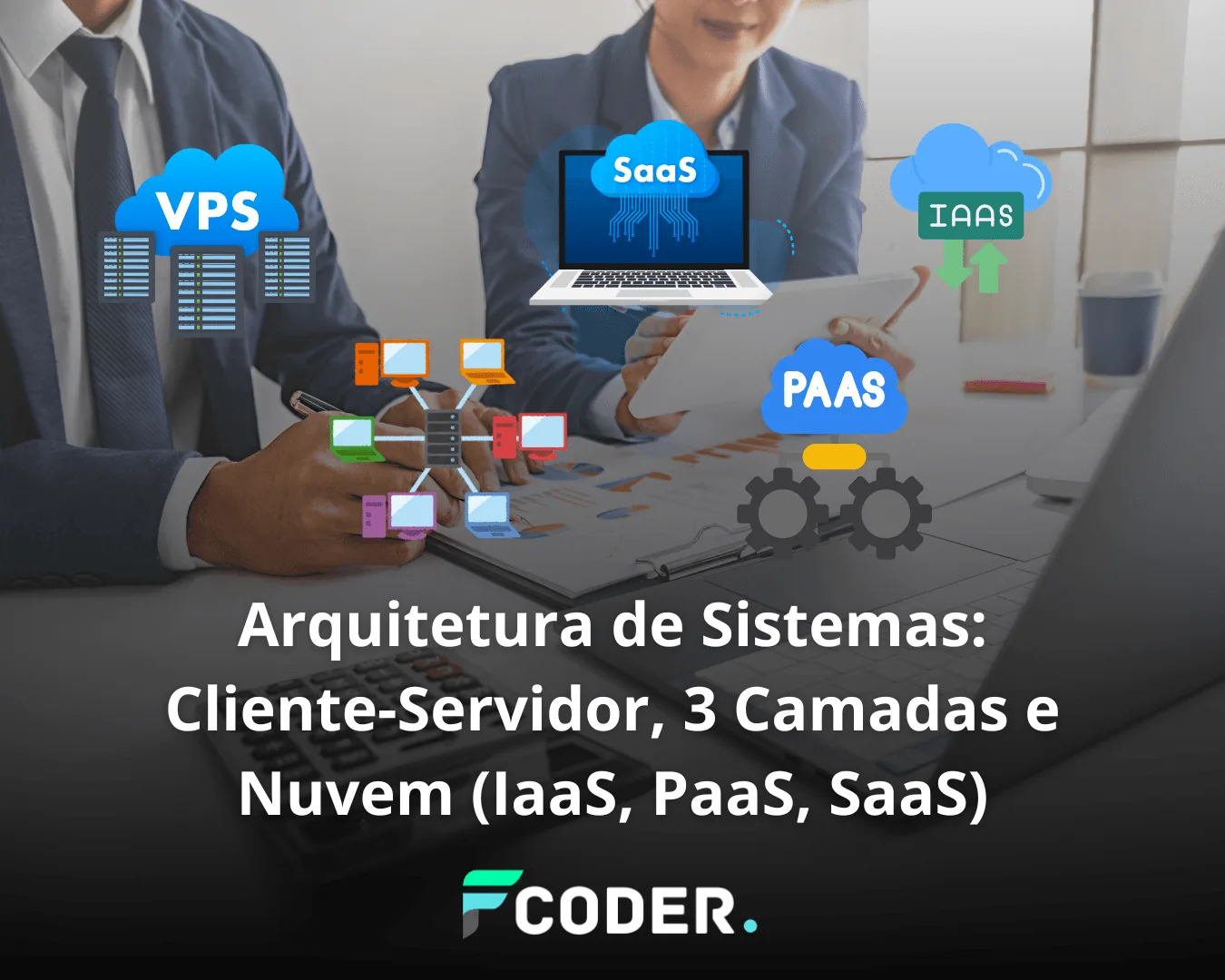
Systems architecture is the invisible skeleton that supports all software. It defines how components are organized, communicate and evolve. From the first client-server models to modern cloud services, each architecture emerged to solve challenges of scalability, maintenance, security and cost.
In this complete guide, we will explore three fundamental approaches:
- 🖥️ The classic client-server
- 🧩 The 3-tier architecture model
- ☁️ Cloud services (IaaS, PaaS and SaaS)
All explained with practical examples, visual comparisons and tips to help you choose the ideal architecture for your project.
👥 Client-Server Architecture
The client-server model is one of the oldest in computing and is still present today in thousands of applications.
- Client → sends requests (e.g., browser, app, terminal).
- Server → processes the request and returns a response (e.g., HTML, JSON, files).
📌 Practical example: when you visit google.com, the browser (client) sends a request to Google's server, which processes it and returns the page.
🔍 Testing client-server with curl
curl https://jsonplaceholder.typicode.com/posts/1This command shows how the client (cURL) communicates with an API server and receives data in JSON.

Architecture • Client-Server
Quick comparison: pros × cons
Open the items to see the details.
Strengths
- ✅ Simple and efficient for small applications.
- ✅ Centralization makes data control and access policies easier.
- ✅ Fast deployment and quick updates on the server, with no need to publish new apps.
- ✅ Low initial cost and an accessible learning curve.
Limitations
- ⚠️ Hard to scale in large systems without re-planning.
- ⚠️ Centralized maintenance can become a bottleneck and a single point of failure.
- ⚠️ Network dependency can affect latency and the user experience.
- ⚠️ A growing number of users demands well-sized capacity and caching.
🧩 3-Tier Architecture
As systems grew more complex, the three-tier architecture emerged, separating responsibilities into independent blocks.
🔎 Main tiers:
- Presentation Tier (Front-end)
User interface: web, mobile or desktop.
Examples: React, Vue, Angular. - Application Tier (Back-end/API)
Business rules and processing.
Examples: Node.js, Laravel, Django, Spring. - Data Tier (Database)
Information persistence.
Examples: PostgreSQL, MySQL, MongoDB.
📌 Practical flow example:
- The user logs in on the front-end (React).
- The request goes to the API (Laravel).
- The database (PostgreSQL) validates the credentials.
graph TD
A[Usuário] --> B[Front-end]
B --> C[Back-end/API]
C --> D[Banco de Dados]
Architecture • 3 Tiers (Presentation • Logic • Data)
Quick comparison & accordion: pros × cons
Open the items to see the details and use the table to contrast with client-server.
Advantages (3 tiers)
- ✅ Scalability — each tier can grow separately.
- ✅ Easier maintenance — well-separated responsibilities.
- ✅ Security — the database is not directly exposed.
Challenges (3 tiers)
- ⚠️ More tiers = more complexity in design and operation.
- ⚠️ Higher investment in infrastructure and observability.
Client-Server × 3 Tiers
Criterion
Client-Server
3 Tiers
Scalability
Limited under heavy growth
High per tier
Maintenance
Centralization becomes a bottleneck
Easier thanks to separation
Security
More exposed surface
Better data isolation
Complexity
Low
More coordination
Initial cost
Lower
Higher investment
🌐 VPS and Its Role in Systems Architecture
Before IaaS, PaaS and SaaS models became popular, many systems were (and still are) hosted on a VPS (Virtual Private Server).
A VPS is a virtualized server inside a physical machine. Each customer has an isolated environment, with its own operating system, disk space and settings, but all share the same hardware.
📌 Where does a VPS fit in these architectures?
Client-Server:
A simple application (such as a PHP + MySQL website) can run perfectly well on a VPS.- On a shared VPS, several customers use the same hardware, which lowers costs but can affect performance.
- On a dedicated VPS, you get more guaranteed resources and greater control.
3-Tier Architecture:
You can distribute the tiers across different VPSs:- One VPS for the front-end (web server).
- Another for the API/back-end.
- And a third for the database.
This ensures isolation and improves scalability, although on a smaller scale than in a full cloud environment.
✅ VPS advantages:
- Affordable cost compared to dedicated servers.
- More control than shared hosting.
- Moderate scalability (you can increase resources such as CPU and RAM).
⚠️ Limitations:
- Less robust than large-scale IaaS solutions.
- On a shared VPS, performance can vary depending on other customers' usage.
- Requires administration (security, updates and backups are on you).

Infra • Hosting Matrix
Shared Hosting × VPS × IaaS (EC2, GCE, etc.)
Shared VPS IaaS
Criterion
Shared
VPS
IaaS
Control
Low provider panel
Medium root/SSH limited to the VM
High full control over network/VM
Scalability
Limited to the plan
Moderate vertical resize
High auto scaling per instance
Isolation
Low (several sites on the same host)
Good (hypervisor separates VMs)
Excellent (separate network + accounts)
Performance
Variable (noisy neighbors)
Stable dedicated resources
High optimized families (CPU/RAM)
Typical monthly cost
R$ 15–40
R$ 30–200
R$ 60+ pay-as-you-go
Management/Operations
Almost no DevOps
You administer the system
DevOps/Infra + network
Security
Managed by the host
Firewall/updates on you
Shared responsibility model
SLA/Availability
Variable (lower)
Good (depends on the provider)
High ≥ 99.9% typical
Provisioning
Ready in minutes
Minutes (OS image)
Minutes to hours (network + policies)
Use cases
Simple sites, blogs, landing pages
Mid-size stores, dedicated web apps
SaaS, high load, microservices
Examples
HostGator, Locaweb (shared)
DigitalOcean, Contabo (VPS)
AWS EC2, Google Compute Engine, Azure VM
Tip: if you want low cost and zero maintenance, start with shared hosting. Need dedicated resources? Go with a VPS. For elastic scale and advanced networking, choose IaaS.
☁️ Cloud Architectures (IaaS, PaaS and SaaS)
Cloud computing revolutionized the way we develop and host systems. Instead of maintaining physical servers, we can choose between different levels of abstraction: IaaS, PaaS and SaaS.
🖥️ IaaS (Infrastructure as a Service)
You rent computing, network and storage resources, but remain responsible for the operating system, database and applications.
- Examples: AWS EC2, Google Compute Engine, Azure VM.
- Use case: create a VM to run your own back-end.
✅ Advantages: full control over the environment.
⚠️ Challenges: requires security and maintenance management.
⚙️ PaaS (Platform as a Service)
You deliver only the code, and the provider takes care of the server, scalability and updates.
- Examples: Heroku, Google App Engine, Azure App Service.
- Use case: quick deployment of APIs or web applications without having to configure a server.
✅ Advantages: development speed.
⚠️ Challenges: less freedom to customize.
📦 SaaS (Software as a Service)
Here you consume ready-made software, through a browser or an app, without worrying about servers or maintenance.
- Examples: Google Workspace, Trello, Slack, GitHub.
- Use case: corporate and productivity tools.
✅ Advantages: simplicity and reduced cost.
⚠️ Challenges: little or no customization.

🚀 Need help with your infrastructure?
Sorry to interrupt your reading 😅
But if you don't want the headaches, we build and configure your cloud at the very top level!
🏠 Analogies to Understand Better
Imagine different ways of having a house:
- On-Premises (local) → you build everything from scratch: land, materials, maintenance.
- IaaS → you rent the structure, but take care of the furniture and maintenance.
- PaaS → you rent a furnished house, you just bring your belongings.
- SaaS → you stay at a hotel that is ready to use.
This comparison makes clear how the level of responsibility changes in each model.

💡 Extra Tips
- Use client-server for smaller applications or quick tests.
- Bet on 3 tiers for mid-size and large enterprise systems.
- Consider a VPS as an intermediate alternative between shared hosting and the public cloud.
- Prefer PaaS to speed up deployments and cut infrastructure costs.
- Use SaaS whenever possible for productivity (email, communication, task management).
- Combine models! Many projects mix IaaS (infrastructure), PaaS (deployment) and SaaS (team tools).
🔗 Useful References
🚀 Conclusion
Systems architecture evolved from the simple client-server model to layered structures, went through intermediate solutions such as the VPS, and today arrives at the flexible cloud model. Each approach has its place, depending on your company's needs for scalability, control and agility.
👉 Want to build a modern, secure and efficient system? Get in touch with Forcoder and let's turn your idea into an innovative digital project.