
OSI and TCP/IP Models: Understanding Network Layers and Their Differences
By Bruno Hoinacki
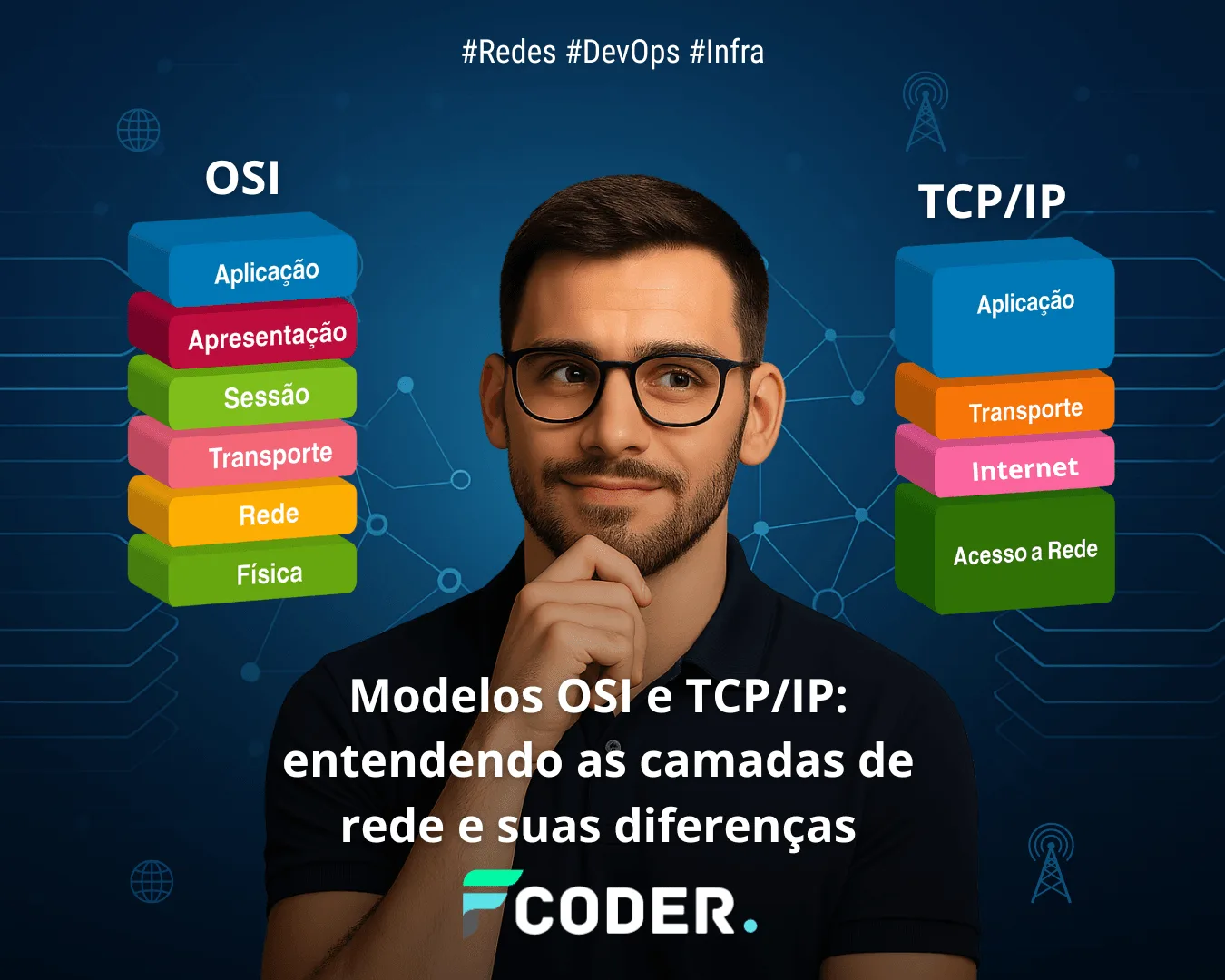
When we talk about computer networks, two models always come up: the OSI model and the TCP/IP model.
They are fundamental to understanding how data travels across the internet and how protocols, devices, and applications communicate.
But there is still a lot of confusion:
👉 What is the OSI model, and why does it have 7 layers?
👉 How did TCP/IP become the internet standard?
👉 How are they related, and what are the practical differences?
In this guide, we will demystify the topic with simple explanations, analogies, protocol examples, comparison tables, and even network commands you can try out in practice.
🔎 What Is the OSI Model?
The OSI (Open Systems Interconnection) model was created by the ISO (International Organization for Standardization) in the 1980s to standardize communication between systems.
It is a conceptual 7-layer model, each layer with well-defined responsibilities.
🧩 The 7 Layers of the OSI Model
Physical ⚡
- Transmission of bits (0s and 1s) over the physical medium (cables, radio, fiber).
- Example: physical Ethernet, UTP cables, Wi-Fi (802.11).
Data Link 🔒
- Ensures error-free delivery within the same network segment.
- Responsible for MAC addressing and media access control.
- Example: Ethernet (IEEE 802.3), PPP, ARP, VLANs.
Network 🌍
- Responsible for logical addressing and routing between different networks.
- Example: IP (IPv4, IPv6), ICMP, routers.
Transport 🚛
- Ensures end-to-end delivery of data.
- Can be connection-oriented (TCP) or connectionless (UDP).
- Example: TCP, UDP, SCTP.
Session 🔑
- Establishes, maintains, and ends communication sessions between applications.
- Example: NetBIOS, RPC.
Presentation 🎨
- Translates and formats data, handling compression, encryption, and encoding.
- Example: SSL/TLS, JPEG, ASCII, MPEG.
Application 👩💻
- Direct interface with the user or software.
- Example: HTTP, FTP, SMTP, DNS, SSH.

👉 Practical analogy
The OSI model explained as sending a letter
Open each layer to see how it compares to the physical world.
📜 Physical
Paper and pen: represent the physical medium that makes communication possible.
🚶 Data Link
The mail carrier on your street: ensures local delivery, dealing with errors and immediate addresses.
🏤 Network
The post office routing: determines the best path to the destination city or country.
🎯 Transport
Reaching the right recipient: ensures the letter goes to the correct person at that address.
🔗 Session
Start and end of the conversation: controls when the exchange of messages begins and ends.
🌐 Presentation
Translating into the same language: ensures the content is understood on both sides.
💌 Application
The letter itself: the content of the communication, what really matters to the user.
🌐 What Is the TCP/IP Model?
While OSI was more theoretical, TCP/IP emerged as a practical, functional model, created in the 1970s by the U.S. Department of Defense (DARPA).
It was used to implement ARPANET, the precursor of the internet.
TCP/IP has 4 main layers (some representations use 5, but the idea is the same).
🧩 The 4 Layers of TCP/IP
Network Access (or Network Interface) 🌐
- Equivalent to the OSI Physical + Data Link layers.
- Protocols: Ethernet, Wi-Fi, ARP.
Internet 🌍
- Equivalent to the OSI Network layer.
- Responsible for addressing and routing.
- Protocols: IP, ICMP, IGMP.
Transport 🚛
- Equivalent to the OSI Transport layer.
- Protocols: TCP, UDP.
Application 👩💻
- Combines the OSI Session, Presentation, and Application layers.
- Protocols: HTTP, HTTPS, FTP, SMTP, DNS, SSH.

👉 Practical analogy
The TCP/IP model explained as sending a letter
Open each layer to see how it relates to delivering a letter, along with protocol examples.
🧱 Network Access (Link)
The mail carrier on your street + the mailbox: the local medium that puts the letter “on the street.” Ensures delivery to the next hop (neighbor/local hub) and handles the physical address.
Example technologies/protocols: Ethernet, Wi-Fi (802.11), ARP, PPP, VLAN (802.1Q).
🌍 Internet
The post office routing to the destination city: decides the path between locations until reaching the recipient’s network (addressing and routing between networks).
Examples: IP (IPv4/IPv6), ICMP, routing (OSPF, BGP), NAT.
🎯 Transport
Making sure the letter reaches the right person in the house: identifies the “internal recipient” (port) and can confirm receipt/retransmit.
Examples: TCP (reliable, flow control), UDP (lightweight/fast), QUIC (over UDP).
💌 Application
The letter itself, the content: what the user actually uses/reads. High-level protocols that give meaning to the exchange.
Examples: HTTP/HTTPS, DNS, SMTP/IMAP/POP3, SSH, FTP/SFTP, DHCP, NTP.
🌐 Network Models
OSI × TCP/IP - Interactive Comparison Table
Click view details to expand explanations, protocol examples, and equivalences.
| OSI (7 layers) | TCP/IP (4 layers) | Role (summary) | Actions |
|---|---|---|---|
| 7. Application | 4. Application | Interfaces and protocols used by the user/service. | |
| Equivalence: OSI 7 ↔ TCP/IP 4 (also covers the functions of OSI layers 6 and 5). Examples: HTTP/HTTPS, DNS, SMTP/IMAP/POP3, SSH, FTP/SFTP, DHCP, NTP, SNMP. Analogy (letter): the content of the letter the recipient will read. | |||
| 6. Presentation | 4. Application | Data formatting, compression, and encryption. | |
| Equivalence: OSI 6 is embedded in the TCP/IP Application layer. Examples: TLS/SSL (for HTTPS, LDAPS), encodings (JSON, XML), gzip/deflate. Analogy: translating the letter into a common language; encrypting it if needed. | |||
| 5. Session | 4. Application | Session control (start, end, checkpoints). | |
| Equivalence: OSI 5 is also usually implemented in the TCP/IP Application layer. Examples: TLS sessions, HTTP session cookies/headers, stateful RPCs, SMB sessions. Analogy: agreeing on the start and end of the conversation by letter. | |||
| 4. Transport | 3. Transport | End-to-end delivery, ports, reliability, and flow control. | |
| Equivalence: OSI 4 ↔ TCP/IP 3. Examples: TCP (reliable, connection-oriented), UDP (lightweight), QUIC (over UDP). Analogy: making sure the letter reaches the right person at the address (port). | |||
| 3. Network | 2. Internet | Addressing and routing between networks. | |
| Equivalence: OSI 3 ↔ TCP/IP 2 (Internet). Examples: IPv4/IPv6, ICMP, routing (OSPF, BGP), NAT, IPsec (network). Analogy: the post office defining the route to the destination city/country. | |||
| 2. Data Link | 1. Network Access (Link) | Local delivery to the next hop; physical addresses. | |
| Equivalence: OSI 2 ↔ part of Link in TCP/IP (together with OSI 1). Examples: Ethernet, Wi-Fi (802.11), PPP, VLAN (802.1Q), ARP (MAC resolution). Analogy: the mail carrier/local delivery taking the letter from your house to the neighborhood hub. | |||
| 1. Physical | 1. Network Access (Link) | Physical medium and electrical/optical/radio signals. | |
| Equivalence: OSI 1 ↔ part of Link in TCP/IP (physical + data link). Examples: UTP/Ethernet (1000BASE-T), fiber (1000BASE-LX), radio (Wi-Fi), connectors and standards. Analogy: paper/pen, the physical support for the message to travel. | |||
💡 Rule of thumb: TCP/IP condenses the 7 OSI layers into 4, merging Physical+Data Link into Link and Session+Presentation+Application into Application.

🛠️ Practical Examples (on the Command Line)
1. Discovering network information (network layer – OSI 3 / TCP-IP Internet)
ip addr show
ip route
2. Testing connectivity (network layer – ICMP)
ping google.com3. Checking open ports (transport layer – TCP/UDP
sudo ss -tulnp4. Analyzing packets (all layers up to application)
sudo tcpdump -i eth0 -n5. Using traceroute (understanding routing at the network layer)
traceroute google.com👉 These tests show in practice how each layer works.
💡 Extra Study Tips
- Use Wireshark 🕵️♂️ to visualize packets passing through each layer.
- Build analogies: mail, public transit, software layers.
- Associate protocols with layers: always ask “which layer does this protocol belong to?”.
- Memorize the OSI order: “Please Do Not Throw Sausage Pizza Away” (Physical, Data Link, Network, Transport, Session, Presentation, Application).
- Remember: in practice we use TCP/IP, but we think in terms of OSI to understand it better.

📚 Useful References
- RFC 1122 – Requirements for Internet Hosts (TCP/IP)
- RFC 791 – Internet Protocol (IPv4)
- ISO/IEC 7498 – OSI Reference Model
- Official Wireshark documentation
🎯 Conclusion
The OSI model is a didactic and conceptual tool, as it helps us understand how data travels in layers.
The TCP/IP model, on the other hand, is the one that was actually implemented and, therefore, is what lets the internet work to this day.
In short, while OSI serves as a learning reference, TCP/IP is the standard applied in the real world.
📌 Final summary:
- OSI → good for understanding.
- TCP/IP → good for using.
👉 Want to apply these concepts in real corporate network, DevOps, or security environments?
Forcoder can help you design solutions that go beyond theory. [Talk to us!]
🌐 OSI × TCP/IP Models, No Mystery
In the article above you saw how network layers work and the differences between OSI and TCP/IP.
If you need to apply this in your environment, Forcoder takes care of the architecture, configuration, and automation for you.
Talk to Forcoder More content on the Blog
💡 Study + practice: learn on the blog and count on us to implement it securely.